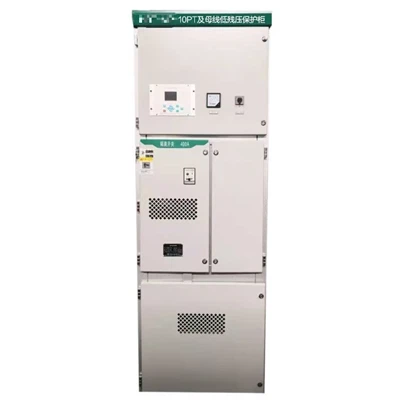
Hey there! As a supplier of Modular PLC Control Cabinets, I've seen my fair share of communication issues in these setups. It can be a real headache when things don't work right, but don't worry – I'm here to walk you through how to troubleshoot those pesky problems.
Understanding the Basics of Communication in a Modular PLC Control Cabinet
Before we start fixing things, it's important to know how communication works in a Modular PLC Control Cabinet. These cabinets use different protocols to send and receive data between various components like sensors, actuators, and the PLC itself. Some common protocols include Ethernet/IP, Profibus, and Modbus.
The Modular PLC Control Cabinet is designed to be flexible and scalable. It allows you to add or remove modules as needed, which is great for different applications. But with all these moving parts, communication issues can crop up.


Common Communication Issues
Let's take a look at some of the most common communication issues you might encounter in a Modular PLC Control Cabinet:
1. No Communication at All
This is the most frustrating problem. When there's no communication, it could be due to a power issue, a physical connection problem, or a configuration error. Check if all the modules are getting power. Sometimes, a blown fuse or a loose power cable can cause this problem.
2. Intermittent Communication
Intermittent communication can be really tricky to diagnose. It might be caused by electromagnetic interference (EMI), loose connections, or overheating. EMI can disrupt the signals between components, so make sure your cabinet is properly grounded.
3. Incorrect Data Transmission
If the data being transmitted is incorrect, it could be a result of a software bug, incorrect configuration, or a faulty module. Double - check the settings in your PLC programming software to make sure they match the requirements of your application.
Troubleshooting Steps
Step 1: Check the Physical Connections
The first thing you should do is check all the physical connections in the cabinet. Make sure all the cables are properly plugged in and there are no signs of damage. Loose or frayed cables can cause communication problems. Also, check the connectors on the modules to ensure they are clean and not corroded.
Step 2: Verify Power Supply
Ensure that all the modules in the cabinet are getting the correct power supply. A voltage drop or unstable power can affect communication. Use a multimeter to measure the voltage at different points in the cabinet. If you find any issues with the power supply, you might need to replace the power module or check the electrical wiring.
Step 3: Check for EMI
Electromagnetic interference can be a major culprit in communication problems. Look for sources of EMI in the vicinity of the cabinet, such as large motors or power generators. You can use shielded cables to reduce the impact of EMI. Also, make sure the cabinet is properly grounded to dissipate any stray electrical currents.
Step 4: Review Configuration Settings
Double - check the configuration settings in your PLC programming software. Make sure the communication protocols, IP addresses, and port numbers are set correctly. If there have been any recent changes to the system, it's possible that the settings were accidentally modified.
Step 5: Test Individual Modules
If you suspect that a particular module is causing the communication problem, you can test it individually. Remove the module from the cabinet and connect it to a test setup. This will help you determine if the issue is with the module itself or the overall system.
Case Study: Solving a Communication Issue in a Motion Control PLC Cabinet
Let's take a look at a real - life scenario where we had a communication issue in a Motion Control PLC Cabinet. The customer reported that the motors were not responding correctly to the commands sent from the PLC.
We first checked the physical connections and found that one of the cables was loose. After tightening the cable, we still had the issue. Next, we verified the power supply and found that the voltage was a bit low. We replaced the power module, but the problem persisted.
We then checked for EMI and discovered that there was a nearby motor that was generating a lot of interference. We added shielding to the cables and relocated the cabinet slightly to get it away from the source of EMI. This seemed to improve the situation, but there were still some intermittent errors.
Finally, we reviewed the configuration settings and found that the communication protocol settings in the PLC were incorrect. We updated the settings, and the communication issues were resolved.
Other Types of PLC Control Cabinets
Apart from the Modular PLC Control Cabinet and the Motion Control PLC Cabinet, we also offer the Mini PLC Control Cabinet. This is a great option for smaller applications where space is limited. The troubleshooting steps for the Mini PLC Control Cabinet are similar to those for the Modular PLC Control Cabinet, but you might need to pay extra attention to the compact design and the interaction between the components.
Conclusion
Troubleshooting communication issues in a Modular PLC Control Cabinet can be a challenging but rewarding process. By following the steps outlined in this blog post, you should be able to identify and resolve most of the common problems. Remember to start with the basics, like checking the physical connections and power supply, and then move on to more complex issues like configuration and EMI.
If you're still having trouble with your PLC control cabinet, don't hesitate to reach out. We're here to help you get your system up and running smoothly. Whether you're looking to purchase a new cabinet or need some advice on troubleshooting, we're just a message away. Contact us to start the conversation and get the best solutions for your automation needs.
References
- "Industrial Automation Handbook"
- "PLC Programming for Beginners"