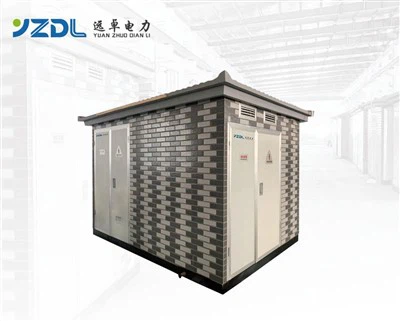
As a supplier of Vertical PLC Control Cabinets, I understand the importance of ensuring the proper functioning of these crucial units. The diagnostic function in a Vertical PLC Control Cabinet is a powerful tool that can significantly streamline the process of fault detection. In this blog, I'll share insights on how to effectively use the diagnostic function to detect faults in a Vertical PLC Control Cabinet.
Understanding the Basics of Vertical PLC Control Cabinets
Before delving into the diagnostic function, it's essential to have a clear understanding of what a Vertical PLC Control Cabinet is. These cabinets are designed to house Programmable Logic Controllers (PLCs) and other electrical components. They play a vital role in automating industrial processes, controlling machinery, and monitoring various parameters. The vertical design offers efficient use of space and easy access to components, making them a popular choice in many industrial settings.
The Role of Diagnostic Function in Fault Detection
The diagnostic function in a Vertical PLC Control Cabinet is like a built - in detective. It continuously monitors the system's performance and can identify potential issues before they escalate into major problems. By analyzing data from various sensors and components, the diagnostic function can detect irregularities such as abnormal voltage levels, temperature spikes, or communication errors.
1. Monitoring Key Parameters
One of the primary ways to use the diagnostic function is by monitoring key parameters within the cabinet. These parameters can include temperature, humidity, voltage, and current. For example, high temperatures can indicate overheating of components, which may lead to premature failure. By setting up alerts in the diagnostic system, you'll be notified immediately if the temperature exceeds a pre - set threshold.
2. Analyzing System Logs
The diagnostic function also keeps detailed system logs. These logs record every event that occurs within the cabinet, including start - up, shut - down, and any error messages. Analyzing these logs can provide valuable insights into the history of the system and help you identify recurring issues. For instance, if there are frequent communication errors in the logs, it could indicate a problem with the network or the PLC's communication module.
3. Checking Component Status
Each component in the Vertical PLC Control Cabinet has a specific status that can be monitored through the diagnostic function. This includes relays, contactors, sensors, and the PLC itself. By checking the status of these components, you can quickly identify if a component has failed or is operating outside of its normal range. For example, a relay that fails to switch on or off correctly can be detected by monitoring its status in the diagnostic system.
Step - by - Step Guide to Using the Diagnostic Function
Now that we understand the importance of the diagnostic function, let's look at a step - by - step guide on how to use it effectively for fault detection.
Step 1: Familiarize Yourself with the Diagnostic Interface
The first step is to familiarize yourself with the diagnostic interface of the Vertical PLC Control Cabinet. This interface is usually accessible through a Human - Machine Interface (HMI) or a dedicated software application. Spend some time exploring the different menus, functions, and displays to understand how to access the diagnostic information.
Step 2: Set Up Monitoring Parameters
Once you're familiar with the interface, set up the monitoring parameters according to the requirements of your system. Determine the normal operating ranges for each parameter, such as temperature, voltage, and current. Then, configure the diagnostic system to send alerts when these parameters deviate from the normal range.
Step 3: Regularly Check System Logs
Make it a habit to regularly check the system logs. Look for any error messages, warnings, or unusual events. Pay particular attention to any recurring issues, as these may indicate a deeper problem within the system. Use the diagnostic system's search and filtering functions to quickly locate relevant information in the logs.
Step 4: Perform Component Checks
Periodically perform component checks using the diagnostic function. This can involve testing the functionality of relays, contactors, and sensors. Most diagnostic systems allow you to perform these tests directly from the interface. If a component fails the test, you can then take appropriate action, such as replacing the component or troubleshooting further.
Step 5: Update the Diagnostic Database
Keep the diagnostic database up - to - date. As new components are added or the system is modified, ensure that the diagnostic system has the correct information about these changes. This will help in accurate fault detection and reduce the chances of false alarms.
Common Faults and How to Detect Them
Let's explore some common faults that can occur in a Vertical PLC Control Cabinet and how the diagnostic function can be used to detect them.
1. Power Supply Issues
Power supply issues are one of the most common problems in a control cabinet. A drop in voltage, a short circuit, or a faulty power supply unit can cause the system to malfunction. The diagnostic function can detect power supply issues by monitoring the input voltage and current. If the voltage drops below a certain level or there is an abnormal current draw, the diagnostic system will alert you.
2. Communication Errors
Communication errors can occur between the PLC and other devices, such as sensors or actuators. These errors can disrupt the normal operation of the system. The diagnostic function can detect communication errors by monitoring the communication status of the PLC. Error messages in the system logs indicating communication failures, such as "no communication" or "timeout," can help you identify the source of the problem.


3. Sensor Malfunctions
Sensors play a crucial role in monitoring the system's parameters. A malfunctioning sensor can provide inaccurate data, leading to incorrect control actions. The diagnostic function can detect sensor malfunctions by comparing the sensor readings with expected values. If a sensor reading is outside the normal range and there are no other obvious issues, it could indicate a faulty sensor.
Integrating with Other Systems for Comprehensive Fault Detection
In addition to using the built - in diagnostic function, consider integrating the Vertical PLC Control Cabinet with other systems for comprehensive fault detection. For example, you can integrate it with a Shore Power Outlet Box or a Ship's Main Switchboard. This integration allows for the exchange of data between different systems, enabling you to detect faults that may span multiple components or systems.
Conclusion and Call to Action
Using the diagnostic function effectively is key to maintaining the reliability and performance of a Vertical PLC Control Cabinet. By monitoring key parameters, analyzing system logs, and checking component status, you can quickly detect and address faults before they cause significant downtime.
If you're in the market for a high - quality Vertical PLC Control Cabinet, or if you have any questions about fault detection using the diagnostic function, I encourage you to reach out for a procurement discussion. I'm here to provide you with the best solutions and support for your industrial control needs.
References
- Industrial Automation Handbook: A comprehensive guide to industrial control systems and PLCs.
- PLC Programming and Troubleshooting: Techniques for maintenance and fault detection.
- Electrical System Design for Industrial Applications: Principles and practices for control cabinet design and operation.